Last verified: 2026-10-25
Streamers searching for a Kick chat bot usually want one of two tools. Half need an automated moderator to answer commands, post timers, and block spam. The other half face a silent chat box and want active messages on screen so new visitors do not walk into an empty room.
Two Things People Mean by "Kick Chat Bot"
The first group is moderation and command bots. Tools like BotRix, Fossabot, Streamlabs Cloudbot, StreamElements, Kicklet, AeroKick, Streamer.bot, and Mix It Up connect through Kick's official API as automated moderators. Once modded, they reply to triggers like !discord, post timers, filter banned words or links, and run loyalty points or giveaways. They manage existing traffic, but they never hold conversations on their own.
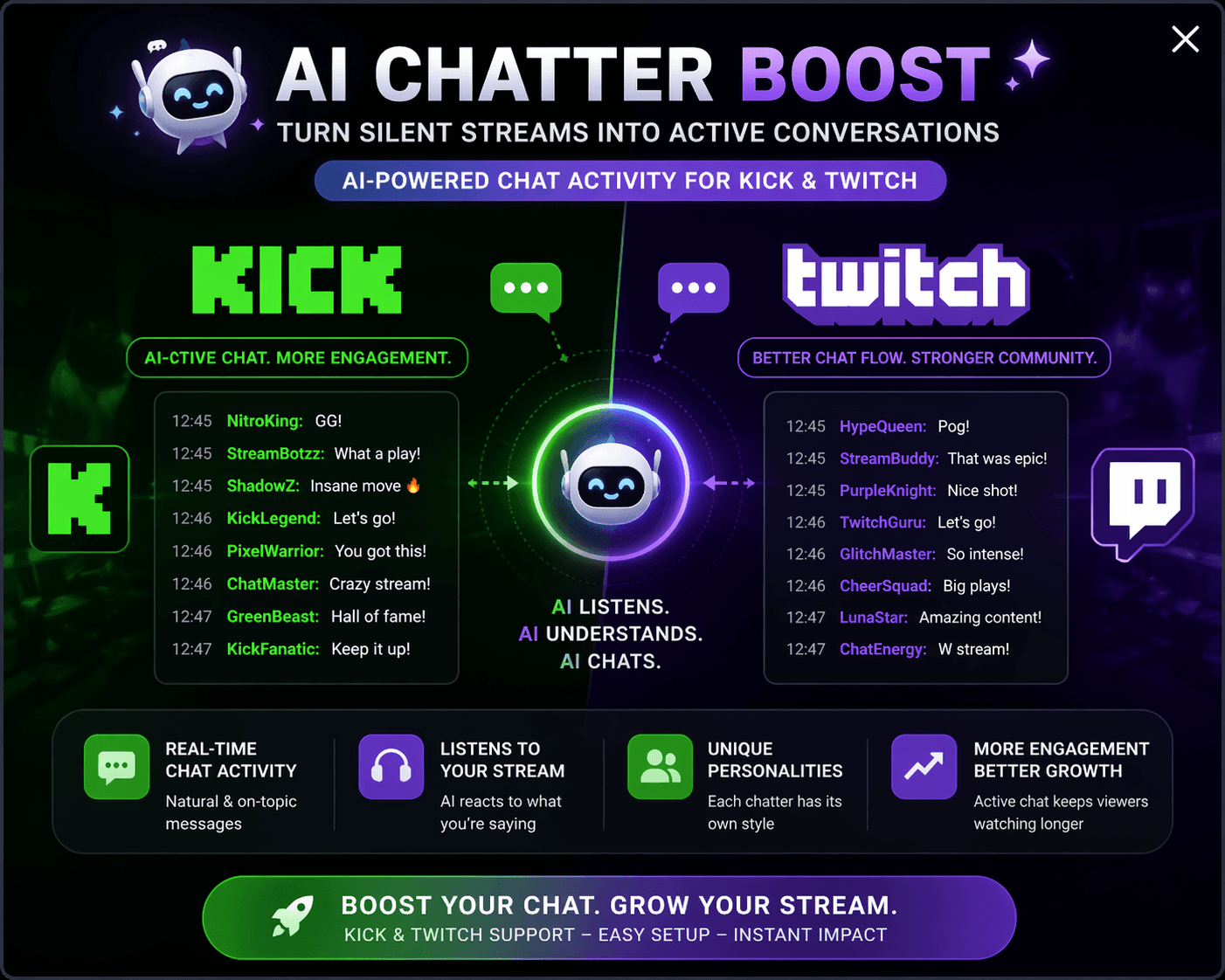
The second group is chat activity services, often searched as Kick chatters or chat boosters. Instead of moderating from one bot badge, these services send messages into a chat that nobody is typing in, using multiple chatter accounts to keep conversation moving. Some post custom lines you write ahead of time, while AI tools listen to your stream audio and post remarks tied to your topic.
Both categories are separate from Kick viewer bots, which raise concurrent live viewer numbers rather than posting messages or running commands in chat.
Comparison Table
We checked every tool below on its official website and documentation on 25 October 2026.
| Bot | Confirmed Kick Support | Free Tier | Moderation | Commands | Timers | What It Needs From You |
|---|---|---|---|---|---|---|
| BotRix | Yes (Cloud) | Free tier / paid tier | Yes | Yes | Yes | OAuth login and /mod BotRix |
| Fossabot | Yes (Cloud) | Free | Yes (15 filters) | Yes | Yes | Account login and mod role |
| Streamlabs Cloudbot | Yes (Cloud) | Free tier / paid Ultra | Yes | Yes | Yes | Streamlabs login and /mod Streamlabs |
| StreamElements | Yes (Cloud) | Free | Rule-triggered | Yes | Yes | Login and /mod @StreamElements |
| Kicklet | Yes (Kick Cloud) | Free tier / paid tier | Yes | Yes (JS logic) | Yes | Kick OAuth login and mod role |
| AeroKick | Yes (Kick Cloud) | Free / $5–$10 mo | Flow actions | Yes (Flows) | Yes | Kick OAuth login on aerokick.app |
| Streamer.bot | Yes (Windows app) | Free | Yes (Kick API) | Yes (C# & actions) | Yes | Windows PC plus app and web login |
| Mix It Up | Yes (Windows app) | Free | Yes | Yes | Yes | Windows 10/11 PC and Kick OAuth |
| BotViewer Custom Chat Bots | Yes (Chat activity) | Paid (60 min/order) | No | No | Delay control | Kick channel name and message list |
| BotViewer AI Chat Booster | Yes (AI chat activity) | Paid | No | No | Delay control | Kick channel name, clear audio, open chat |
Verified date: 2026-10-25. Platform support and features were confirmed on each vendor's official site.
The Moderation Bots That Work on Kick
Kick's bot ecosystem grew after Kick launched its Public API (docs.kick.com) with OAuth 2.1, chat endpoints, and webhooks. Several major Twitch bots still have no Kick support today: Nightbot supports only Twitch, YouTube, Trovo, and SOOP in its documentation, while Moobot, Firebot, and WizeBot remain Twitch-only tools.
1. BotRix
BotRix was one of the first cloud bots to support Kick alongside Twitch, YouTube, and Discord. It offers antispam filters, link protection, custom commands, timers, loyalty points, giveaways, and widgets after you sign in and mod the bot. Its limitation is that Kick tokens can desynchronize after platform updates, forcing you to unlink and re-mod the bot.
2. Fossabot
Fossabot is a free cloud bot supporting Twitch, YouTube, Kick, and X from one moderator dashboard. It includes 15 spam filters for links, caps, symbols, repetition, and malware URLs, plus lookalike detection, custom commands, audit logs, and timers with line minimums. Its limitation is that its login flow and documentation were built around Twitch first.
3. Streamlabs Cloudbot
Streamlabs Cloudbot is a free 24/7 cloud bot supporting Twitch, YouTube, and Kick. After enabling Cloudbot and typing /mod Streamlabs in Kick chat, it filters caps, links, symbols, and words while running commands, timers, quotes, counters, queues, and loyalty stores. The limitation is that the bot uses the default Streamlabs name unless you pay for Streamlabs Ultra.
4. StreamElements Chatbot
StreamElements provides free Kick support for its cloud chatbot, overlays, and multistreaming tools. Clicking Join in bot settings and typing /mod @StreamElements in Kick chat unlocks commands, counters, timers, user levels, and chat alerts. However, its Kick FAQ notes that the bot cannot use subscriber emotes without a gifted sub, and its automated Kick moderation is still limited.
5. Kicklet
Kicklet is a cloud platform built specifically for Kick streamers rather than ported from Twitch. It provides a 24/7 Kick chatbot with custom commands, JavaScript command logic, timers, song requests, moderation rules, loyalty points, a shop, giveaways, and overlays. Its limitation is that it only works on Kick, and higher capacity limits require a paid tier whose prices only appear after login.
6. AeroKick
AeroKick is a Kick platform combining custom channel emotes and Augmented Display widgets with the AeroKick Chat Bot. Its bot uses visual Flows for commands, timers, and alerts, with a free Basic tier (including Chat Bot access and 500 emote slots) and paid plans at $5 or $10 per month. Its limitation is that AeroKick focuses on visual overlays and Flows rather than strict anti-spam filters.
7. Streamer.bot
Streamer.bot is a free Windows desktop app connecting to the Kick Public API for chat messages, follows, subscriptions, and moderation actions. Running locally with OBS Studio WebSocket, Stream Deck, VoiceMod, and C# integrations, it triggers scene and hardware actions alongside a unified chat dock. Its limitation is that the bot stops whenever your PC closes, and Kick webhooks require linking your account in both the app and website.
8. Mix It Up
Mix It Up is a free Windows 10 and 11 desktop app supporting Kick chat, channel points, Kicks gifts, and subscriptions alongside Twitch and YouTube Live. It includes a visual command editor, moderation filters, channel currency, polls, giveaways, and optional secondary bot account login. Its limitation is that Mix It Up runs only on Windows 10 or 11 and stops whenever the desktop app closes.
The Problem No Moderation Bot Solves
Every moderation bot above shares one blind spot: an empty Kick chat gives it nothing to moderate, nothing to filter, and nobody to trigger commands. For streamers who want active conversation in the chat box, Kick custom chat bots send custom messages into your chat from multiple chatter profiles. Packages cover 20 to 50 chatters and stay active for 60 minutes per order, with 1-day options also listed on the page. You write the messages yourself, set the delay pattern, and choose whether lines post sequentially, randomly, or repeat. Bots start within 5 minutes of ordering, requiring only your Kick channel name and no password. Plan your session around that 60-minute limit, as overlooking it is the most common reason for a disappointed order.
If you prefer not to script lines ahead of time, Kick AI chat booster generates messages from your live stream in real time. The system listens to the streamer's voice and posts messages tied to the stream topic, with each chatter running through a different account identity. For it to work, followers-only chat, subscriber-only chat, and channel action restrictions must all be off. Your audio has to be clear, and your stream title and category must be accurate. If the streamer goes silent, message quality drops because the AI has no spoken context to follow.
In our recorded tests on 17 October 2026, we measured both tools on live Kick streams. On a Kick 10-chatter AI order in English (out of 8 languages offered), the first AI message arrived about 2 minutes after payment, and with the delay set to 45 seconds the next gap measured 48 seconds. Start time depends on server load, so treat those 2 minutes as one measured run rather than a promise. Anywhere from a couple of minutes up to about ten is normal. Across that session, 20 of the 23 messages stayed on what the streamer was talking about, while 3 of the 23 were off-topic. That 20 of the 23 figure was measured by reading each message in chat against what the streamer was saying at that moment. On a 20-chatter, 60-minute custom order tested the same day, the first message arrived in under 3 minutes, and a line added mid-order appeared in chat 4 minutes later.
Free Kick Chat Bots
Streamers searching for "free kick chatters" should separate free moderation from paid chat activity. Moderation bots are genuinely free: Fossabot, StreamElements, Streamer.bot, and Mix It Up cost nothing, while BotRix, Streamlabs Cloudbot, Kicklet, and AeroKick offer free tiers covering commands, timers, and chat rules.
Automated multi-account chatters are paid tools because running separate account identities and live audio transcription carries per-session server costs. To test baseline activity on your channel before paying, you can use free Kick viewers once every 24 hours with your public channel name, though keep in mind that it is a live viewer tool and not a chatter tool, so it will not type in chat. For a full breakdown, read our guide on free Kick bots versus paid options.
Choosing by Situation
Brand New Channel
On a new Kick channel, enable Kick's AutoMod and banned word filters first, then add a free cloud bot like BotRix or Fossabot. Set up two or three basic commands like !socials and !schedule, and avoid short timer intervals that flood a quiet room. If you run a 20-chatter custom chat bot session for 60 minutes, write open-ended questions in your message list to answer on mic.
Channel With Silent Viewers
When ten or twenty people watch your stream without typing, lurkers hesitate to speak first, and a moderation bot cannot warm up the room alone. Running a 60-minute custom chat bot package or the AI chat booster with a 45 to 60 second delay creates a steady flow of comments, helping real lurkers join in.
Channel Running an Event or Giveaway
During a tournament or giveaway, viewers repeat the same entry questions. Use BotRix, Kicklet, Streamlabs Cloudbot, or Mix It Up to run your giveaway keyword, enforce cooldowns, filter link spam, and post rule timers. If you pair a custom chat bot package with an event, remember the 60-minute limit per order and activate it when the main segment starts.
FAQ
Are chat bots allowed on Kick?
Moderation bots like BotRix, Fossabot, Streamlabs Cloudbot, StreamElements, Kicklet, AeroKick, Streamer.bot, and Mix It Up connect through Kick's official Public API and OAuth flow, which is the integration route Kick documents for developers. Using a documented API is not the same as Kick endorsing any one bot. Separately, Kick's Community Guidelines under "Integrity and authenticity" prohibit bots, engagement manipulation, or third-party tools that artificially inflate views, followers, or interactions, and require disclosure for realistic AI-generated content.
Do chat bots count as viewers on Kick?
No. Neither moderation bots nor chat activity services count toward your concurrent live viewer number on Kick. Chat bots only manage or post text messages in chat, while viewer counts are tracked separately through video connections.
Do I need to give my password?
No, never share your Kick password with any bot service. Official moderation bots use Kick's OAuth login and the /mod command, while BotViewer's custom chat bots and AI chat booster only ask for your public Kick channel name.
How long do the chatters stay?
On BotViewer's standard custom chat bot packages (20, 35, or 50 chatters), chatters stay active for 60 minutes per order, with 1-day packages also listed on the page. Plan your stream segment around that 60-minute window and activate the order once you are live.
Can I write the messages myself?
Yes. With the Kick custom chat bots package, you write the message list yourself, include emotes if you want, set the delay pattern, and choose whether lines post sequentially, randomly, or repeat. You can also add new lines from your control panel while a 60-minute order is running.